
Accu-Time
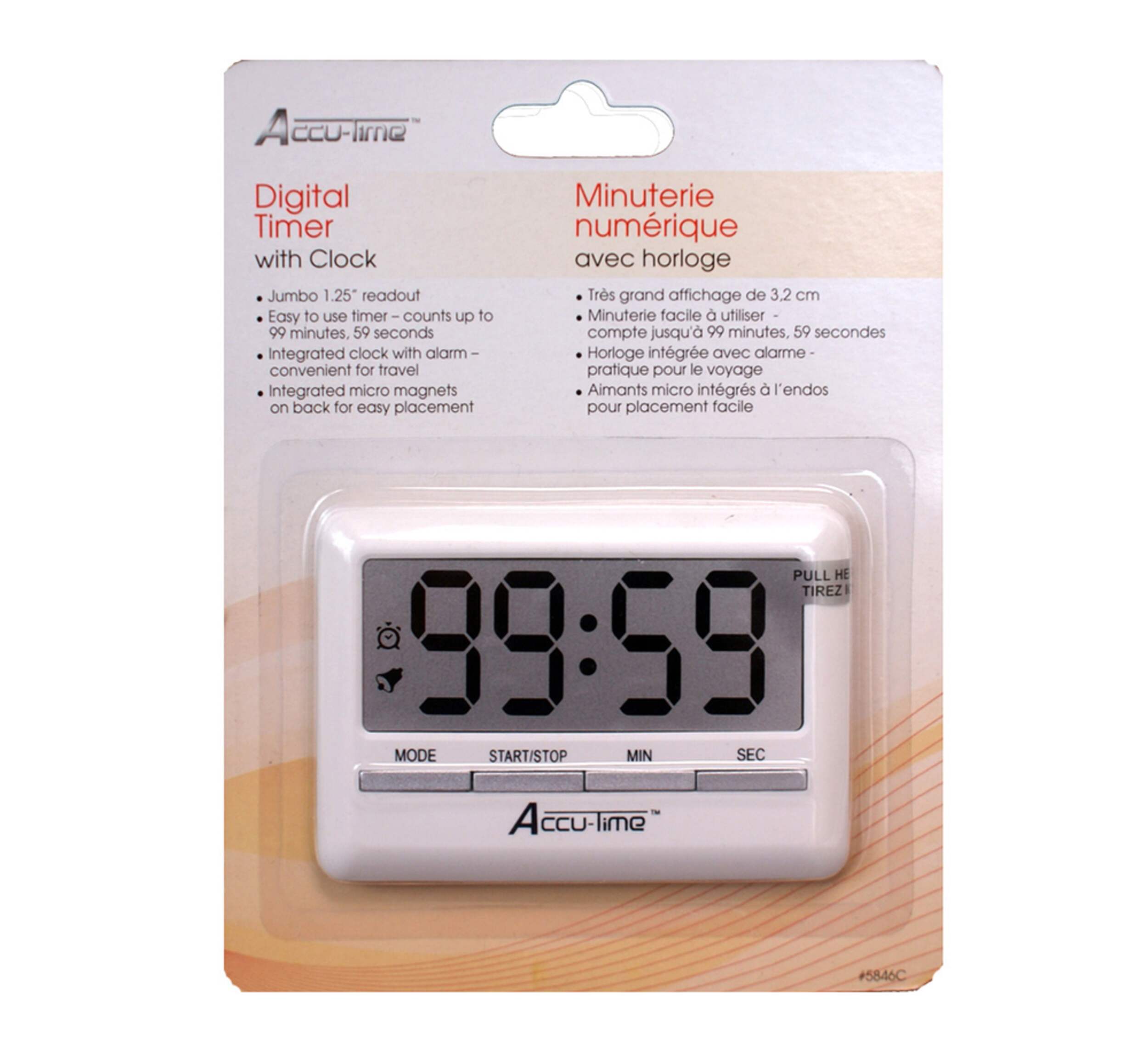
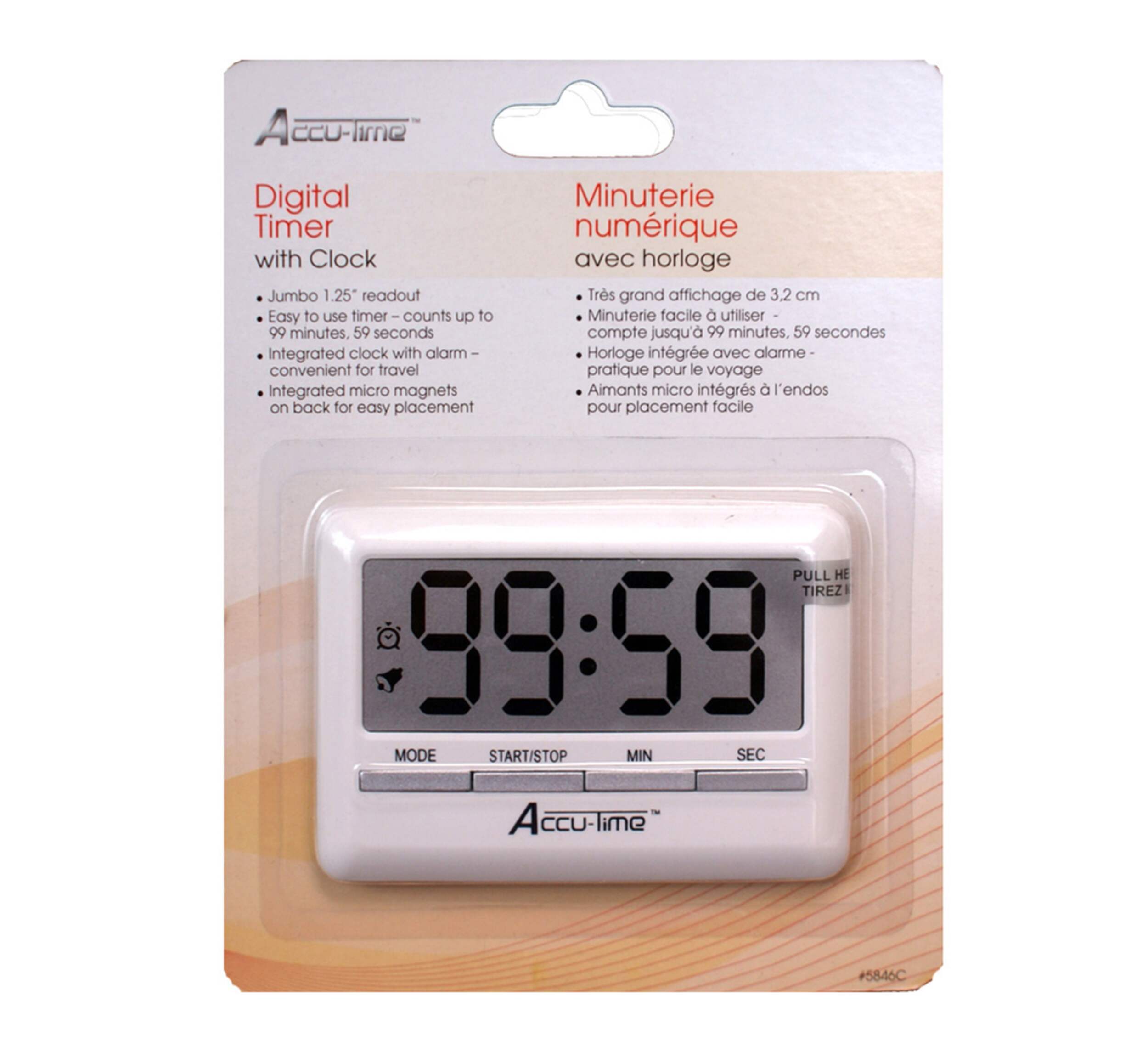
Accu-Time Digital Timer with Clock
#142-5476-0
$9.99
Top Rated
Unfortunately, this product is discontinued in your selected store and nearby stores.
You may be interested in these similar products shown below.


Quebec residents: For information on maintenance and repair click here.

Product Details
Accu-Time Digital Timer with Clock is great for the kitchen with a timer up to 99 minutes
Clock features big digitals, making it easy to read
Magnetic back makes it perfect for the fridge or oven
Requires LR1130 battery
Warranty
- This product carries a 1 year exchange warranty redeemable at any Canadian Tire store.
Online Ordering
- Pick Up is free at most stores (some stores require a minimum order value before tax)
- Shipping fee is based on size and weight of products and distance from address to store
- Same-Day Delivery costs $9.99 per order
- Online Ordering Information
Returns
- Most products can be returned or exchanged at any Canadian Tire store within 90 days of purchase
- Some products are non-refundable and non-exchangeable
- The return policy outlined above may not apply to the product you are currently viewing. For complete details and eligibility, please refer to our Return Policy for exceptions.
Shop Related Products
- Weekly Deals
- Customers Also Viewed
- Top Trending Products
- More From This Brand
Review Highlights
List of Pros Highlights
Pros
List of Cons Highlights
Cons
Suitable Cons could not be generated at this time.
Reviews
Filter Reviews
- instructions
- accuracy
- battery
- buttons
- easy to read
- plastic
- responsiveness
- satisfaction
Rating
Locale
1 to 5 of 5 Reviews
1 – 5 of 5 Reviews
Most Recent
5 out of 5 stars.
I need the instructions, please
8 years ago
Beeper doesn't work at the end of the allotted time. I was hoping someone could put the instructions on here. Thank you
Yes, I recommend this product.
Helpful?
5 out of 5 stars.
Not a review, more of an advisory
9 years ago
In case some purchasers encounter the problem I did: I was unable at first to follow any of the instructions that came with the timer when I unpacked it and activated the battery (by pulling the plastic protector-tab out); all the characters on the display were "on", and no button-pushing or button-holding led to any response. It was only after I found a tool small enough to press the RESET button accessed through the back of the case that commands would work... but there is nothing in the instructions that specifies a need to reset first! Once set, it seems to be 100% fine and perfectly fulfills my need for a small, thin clock to sit in a tight spot - most digital clocks available these days seem to be bulky plug-in clock-radios but all I wanted was a wireless clock.
Yes, I recommend this product.
Helpful?
5 out of 5 stars.
Easy to Read
10 years ago
This large number timer is easy to read from a distance and very accurate.
Yes, I recommend this product.
Helpful?
5 out of 5 stars.
BBQ buddy
10 years ago
Just got this last month to go with my new BBQ and I love it. Never understood the need for one of these as there are timers on stove/oven and microwave. That is, until I got my BBQ. Magnetic back stick to the front of BBQ and I can time all my creations perfectly. If you are obsessive about getting it right then get this. I now cannot live or BBQ without it.
Yes, I recommend this product.
Helpful?
5 out of 5 stars.
does the job
11 years ago
nothing much to say... it's a timer and it does the job its suppose to do
Yes, I recommend this product.
Helpful?
Questions
Start typing your question and we'll check if it was already asked and answered.
1 - 5 of 5 Questions
Most helpful answers
Q: I lost the instructions, and don't know how to adjust the time Anyone can share a clear version?
10 years ago2 Answers
A: To Set the Clock: 1. Press ‘MODE’ until clock digits appear. 2. Press and hold ‘START/STOP’ for 3 seconds. The clock digits blink. 3. Press ‘MIN’ to set hours. Press ‘SEC’ to set minutes. 4. Press ‘START/STOP’ to confirm the time. The clock is set. NOTE: 12 or 24 Clock Selection : To set a 12 hour clock, select a time between 12:00 AM and 11:59PM. To set a 24 hour clock, select a time between 0:00 hours and 23:59 hours. Press ‘MIN’ to rotate through the 12 and 24 hour selections (note: 12:00AM will appear as 0:00 during setup). When set, the clock will display in either 12 or 24 hour mode.
10 years agoHelpful?
Q: How do you turn the timer off? I just bought it, it works, but it doesn't seem to turn off. How do I do that? There's only three buttons, and tried any combination left it idle, and the timer is still on (not counting but on).
6 years ago1 Answer
A: This timer does not turn off, it uses such little battery power that the function was deemed unnecessary.
6 years agoHelpful?
Q: How do I change the time on this timer? Timer works fine. But I don't have a manual to show me how to change the time. Please advise.
7 years ago1 Answer
A: For a copy of the manual, please call our office at 1-800-387-8803.
7 years agoHelpful?
Q: How do you shut the timer off? Just purchased a Taylor #5820-45 and the minute and second zero's appear constantly as if it is "on" all the time. The instructions are on the back of the packaging but it just tells you how to turn off the alarm, not the timer itself.
10 years ago1 Answer
A: Hello, This timer does not turn off, it uses such little battery power that the function was deemed unnecessary. Should you have any further questions please let us know, Thank you,
10 years agoHelpful?
Q: Is there an on-line instruction booklet for the accu-timer digital kitchen timer? I lost mine and can't turn the alarm off. or just tell me - how do you turn the alarm off?
11 years ago1 Answer
A: Hi, You need to press “START/STOP” to stop the alarm. To cancel the alarm setting, press “MIN” and “SEC” at the same time. I am also attaching an image of the full instructions for this unit for future reference. Thank you,
11 years agoHelpful?