




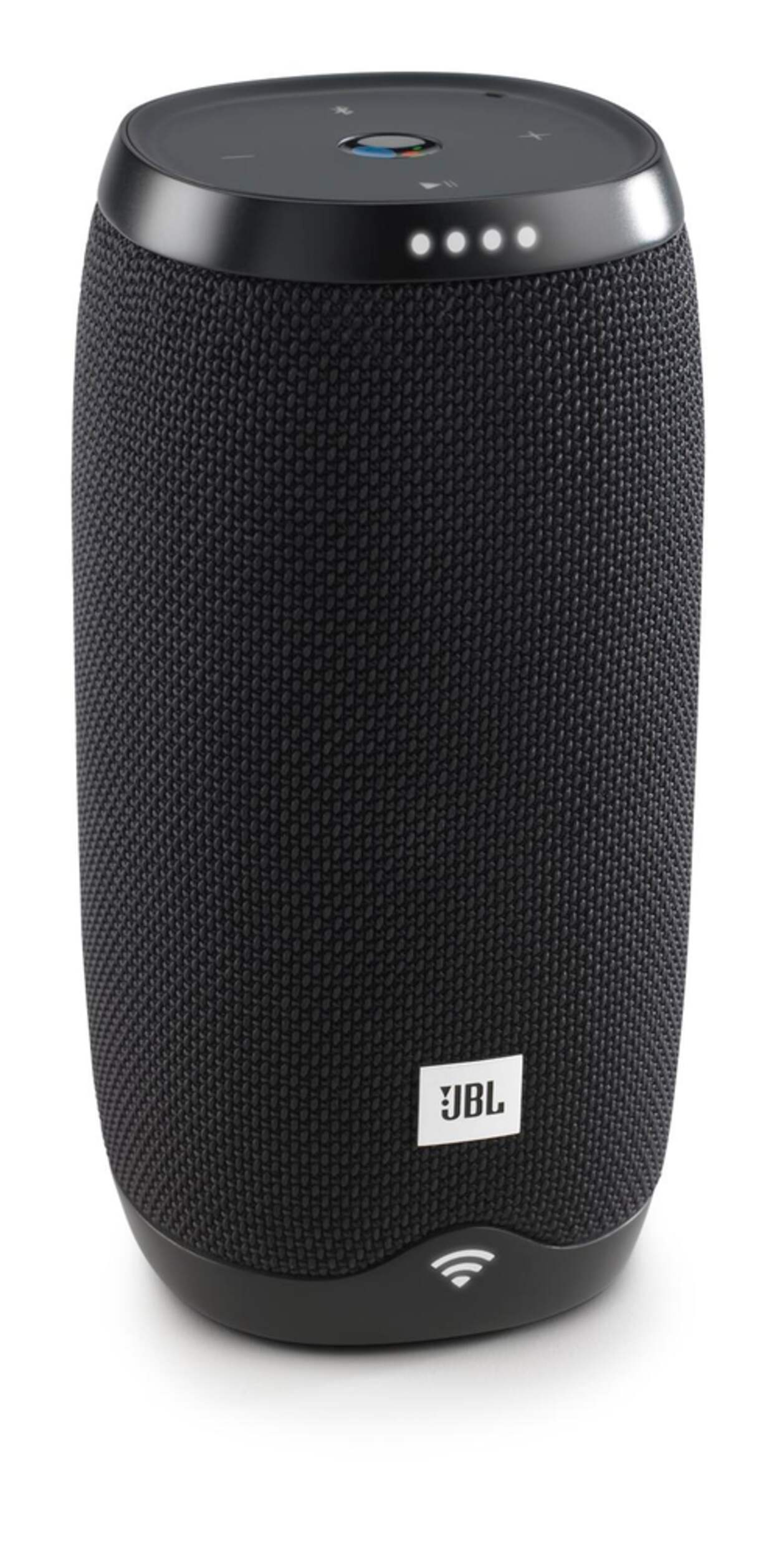


JBL Link10 Google Assistant Speaker
Unfortunately, this product is discontinued in your selected store and nearby stores.
You may be interested in these similar products shown below.Similar Items

Quebec residents: For information on maintenance and repair click here.
Similar Items
Product Details
JBL Link 10 has the Google Assistant Speaker built-in - it is your own personal Google that is always ready to help
Far-field voice recognition allows for easy hands-free operation - ask questions across the room and the JBL Link 10 will respond
With the free Google Home app on iOS & Android, you can easily setup and manage your JBL Link 10
Built-in Chromecast let’s you instantly stream your favourite music, radio, or podcasts from your mobile device to your speakers
24 bit/96kHz High quality sound, powered by the cloud - Chromecast streams directly from the cloud, so you get the highest sound quality
Enjoy crystal clear sound exactly the way the artist intended
Easily setup your system and control multi-room playback with the Google Home app - a step by step guide allows you to quickly start streaming your music
Supports both 2.4GHz and 5GHz Wi-Fi connection, resulting in a faster, robust and more stable wireless connection
Bluetooth wirelessly stream high-quality sound from your smartphone or tablet
Built-in 4000mAh rechargeable Li-ion battery supports up to 5 hours of playtime
IPX7 Waterproof means no more worrying about rain or spills; you can even submerge Link 10 in water
The durable fabric material and rugged rubber housing allows your speaker to outlast all your adventures
Model #: JBLLINK10BLK
- This product carries a 1 year exchange warranty redeemable at any Canadian Tire store.
- Pick Up is free at most stores (some stores require a minimum order value before tax)
- Shipping fee is based on size and weight of products and distance from address to store
- Same-Day Delivery costs $9.99 per order
- Online Ordering Information
- Most products can be returned or exchanged at any Canadian Tire store within 90 days of purchase
- Some products are non-refundable and non-exchangeable
- The return policy outlined above may not apply to the product you are currently viewing. For complete details and eligibility, please refer to our Return Policy for exceptions.
Compare Similar Products
Only Show Differences | Currently Viewing | |||||
| Ratings | ||||||
| Package Depth (cm) | 8.60 cm | |||||
| Package Depth (in) | 3.39 in | |||||
| Package Height (cm) | 16.90 cm |


Shop Related Products
- Weekly Deals
- Customers Also Viewed
- Top Trending Products
- More From This Brand
Weekly Deals
Review Highlights
Pros
Cons
Reviews
Customer Images and Videos


Filter Reviews
- speaker
- satisfaction
- purchase
- link
- bluetooth
- for playing music
- product features
- connections
Good but lasted a little over a year.

Originally posted on jbl.com
Sad gift
Originally posted on jbl.com
Junk!
Originally posted on jbl.com
Came out of the box broken
No, I do not recommend this product.
Originally posted on jbl.com
Stopped Working
No, I do not recommend this product.
Originally posted on jbl.com
Questions
Q: J'ai reçu mon enceinte jbl 10 hier, je lui ai demandé de mettre un réveil pour ce matin mais elle s'est éteinte dans la nuit et ne m'a pas réveillée. Mais quand je la rallume je vois que la batterie est encore quasi pleine, pourquoi elle s'est éteinte?
7 years ago- Translate with Google
A: hello, pour allumer l'enceinte il faut obligatoirement la brancher sur un chargeur . le bouton On Off complètement inefficace
6 years ago
Q: How can you check the battery level without having to plug it in or turning it off then on again?
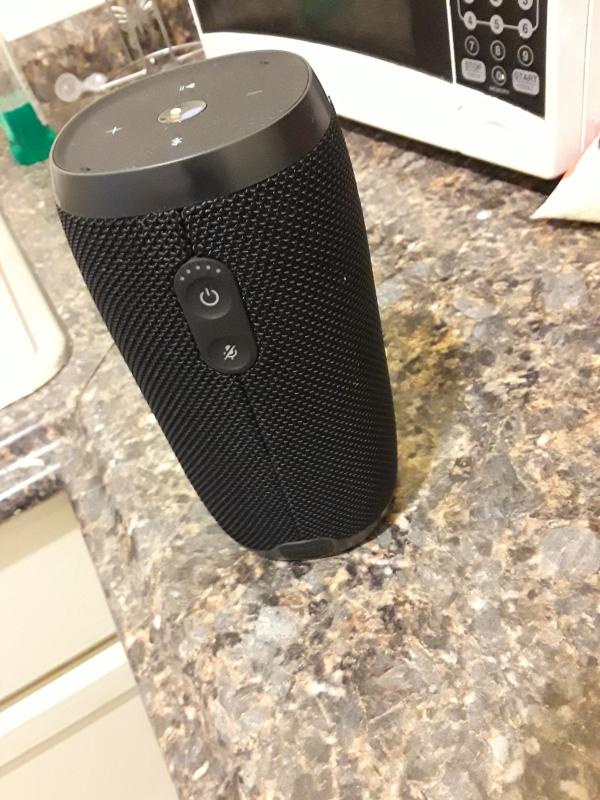
7 years agoA: the battery level is indicated with lights at the back around the on off button.
6 years ago
Q: L'enceinte a t-elle le voice match?
7 years ago- Translate with Google
A: Oui, le voice match fonctionne pour moi et ma femme seulement, mais pas pour mes 2 filles, je ne sais pas trop pourquoi .
6 years ago
Q: My JBL 10 constantly requires me to re-log into my Google home app or it won't work. It might happen once a day or after an hour. I keep it plugged in and I have a good wifi connection. This is annoying.
6 years agoA: Mine does the same thing. If I reset it, it will work for a couple of days but then it starts disconnecting itself from google home again. Very annoying.
Anonymous6 years ago
Q: Why wont my link 10 connect to wifi and bluetooth wont work
6 years agoA: because it has design flow, i have the same, support did not help me...
6 years ago
Q: Je viens de recevoir mon enceinte link10. Sommes nous obligés de souscrire à un compte payant style Spotify pour Avoir la musique que l'on demande vocalement ?
7 years ago- Translate with Google
A: Le compte gratuit de spotify fonctionne bien avec cette enceinte, il suffit d' indiquer une playlist de spotify. Sinon il y a aussi play musique qui marche bien en gratuit car on peut transféré 50000 mp3 de sa propre bibliothèque sur le cloud.
6 years ago
Q: Hi, when will the Link 10 receive the latest Assistant Firmware, Google Home speakers have had the extra features for ages now, I love the sound quality and design but if the speakers do not get regular updates and support it seems a waste of money ? Tha
7 years agoA: I would like a new update too. In new versions of Google Assistant it is possible to make it recognize only your voice (and link it with your account). This is a major update and I would like to count with it.
7 years ago
Q: Is the link 10 ever going to be updated? It is falling pretty far behind in the Google Home firmware.
7 years agoA: Why can't stream free radio stations ? I could we first bought ???
7 years ago
Q: Comment faire pour désactiver la wi-fi de l’enceinte JBL link 10 ? ( pour l’utiliser que en Bluetooth )
7 years ago- Translate with Google
A: Tu mets ton téléphone en mode avion, après tu va dans Bluetooth,ect ect. Et tu enlève le mode avion. Comme ça des que tu allumera ton enceinte tu pourra la passer en Bluetooth. Pour moi ça marche.
7 years ago
Q: How do i find my MAC address on my Link 10?
7 years agoA: After you have it set up, you can find it in the Google Home app under "Settings" section for the device. After you go into the "Devices" section of the app, go into the setting for the Link 10 speaker, and the MAC address should be listed at the bottom of the settings.
7 years ago


